
Claim your free business account and start collecting verified reviews.
Review Trust helps you collect, manage, and display verified customer reviews on your website — without the fake review headaches, scattered screenshots, or constant manual follow-up.
Account
Business Info
Verify
Step 1: Create your account
Use your business email and set a password to get started.

Step 2: Tell us about your business
We will personalize your experience based on a few quick details.
Step 3: Verify and connect your business
This final step helps verify your account and connect your review tools.
Start with a real review system — not another pile of screenshots and guesswork.
The free account is designed to help business owners start building trust the right way from day one.
Collect verified reviews from real customers
Stop relying only on public platforms or random testimonial requests that are easy to forget.
Reduce manual review chasing
Use a more consistent process so asking for feedback does not depend on memory or spare time.
Display reviews on your own website
Put customer proof on the pages where visitors are deciding whether to trust you and buy.
Keep more control over your review experience
Your best customer feedback should not live only on someone else’s platform in someone else’s layout.
Turn customer trust into stronger conversions
Use reviews to reinforce credibility on service pages, product pages, and sales pages.
Upgrade later if you want more automation
Start free first. Then move into the Pro Growth offer during onboarding if it fits your business.
Simple setup. Clean process. Stronger trust.
Review Trust is designed to help business owners get up and running without a heavy setup process or ongoing manual work.
Create your account
Use your business email and set a password to get your free account started.
Add your business details
Tell us who you are and which business account you are setting up.
Verify and connect
Confirm your website and mobile number so your account can be properly verified.
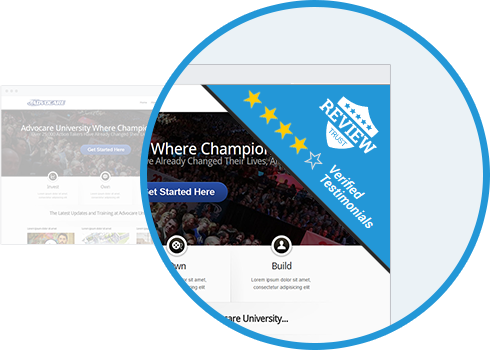
Flexible widgets for the pages where trust matters most.
Show verified customer feedback on the pages where visitors are deciding whether to trust you and buy.
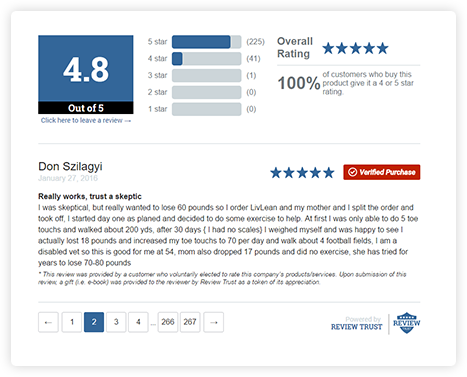
Designed for product pages and online stores. Helps shoppers see verified buyer feedback before they purchase.
A compact floating widget that stays visible across the site. Good for adding trust without using much space.
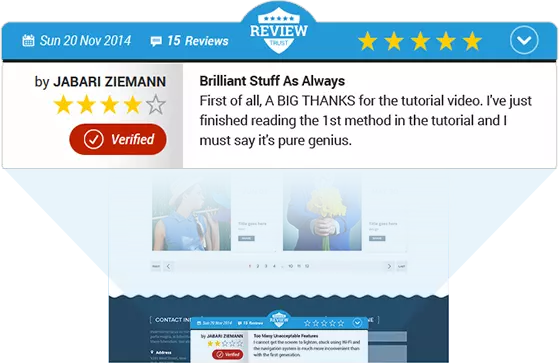
A fixed widget that sits at the bottom of the page. Keeps social proof visible while visitors continue browsing.
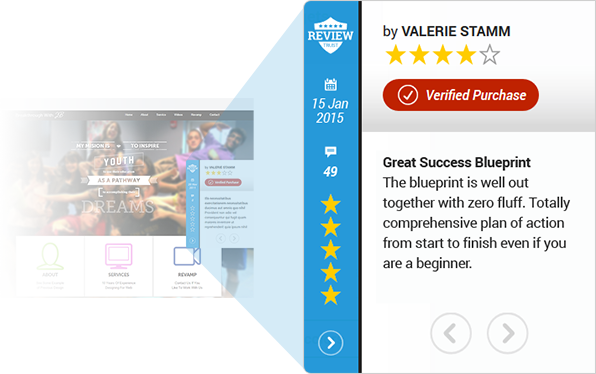
A vertical widget that stays along the side of the page. Adds steady trust signals without interrupting the experience.
Questions business owners usually ask first.
Starter Boost vs. Pro Growth — what’s the difference?+
Starter Boost gets business owners in the door. Pro Growth is the paid upgrade for businesses that want more automation, more control over how reviews are displayed, and more trust-building tools.
What makes a review “verified”? +
A verified review is feedback collected through your Review Trust workflow from a real customer interaction, rather than an uncontrolled public posting environment.
Can I use Review Trust on any website? +
Review Trust is designed to work with websites that can accept code snippets, embeds, or widget placements.
Is it hard to set up? +
No. Review Trust is designed to be simple to set up, easy to maintain, and practical for business owners who do not want more tech headaches.
Can I customize how my reviews look? +
Yes. That is one of the core differences: you can choose how reviews appear on your site instead of relying on a third-party platform layout.
Do I need a credit card to get started? +
No. You start with the free Starter Boost account first.
What happens after I create my free account? +
You complete setup, start building your review profile, and then see the Pro Growth upgrade offer during onboarding.
Claim your free business account.
If you want a cleaner, more credible way to collect and display customer reviews on your website, this is the place to start.
Simple setup. No credit card. Clear next steps.
This free account gives you a clean way to get started with verified reviews, set up your business profile, and begin putting trust-building proof on your website.
- Start with the free Starter Boost account
- Complete the 3-step setup process
- See upgrade options later during onboarding